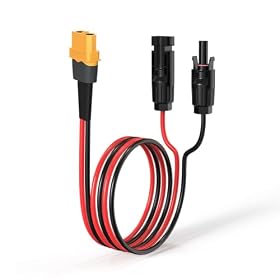
An inverter overload warning means the station’s AC inverter cannot safely supply the connected load. Disconnect the appliances, reset the station, and check startup surge, total wattage, cables, and operating conditions before reconnecting anything.
Inverter overload warning on a small station
An inverter overload warning on a portable power station usually means the connected AC devices are demanding more power than the station’s inverter can provide. Turn off and unplug the load, let the station cool if it is warm, then reset it according to the manufacturer’s instructions. Reconnect devices one at a time only after checking their running wattage and startup surge.
What an overload warning means
Portable power stations have an AC inverter that converts battery power into household-style AC power. That inverter has limits for:
Continuous output: The power it can supply for an extended period.
Surge or peak output: The brief higher output available to start some appliances.
Port limits: Separate limits for AC outlets, USB ports, and DC outputs.
Temperature: Output may be reduced or shut off if the inverter becomes too hot.
An appliance can exceed the limit even when its normal running wattage looks acceptable. Refrigerators, pumps, compressors, power tools, and some heating appliances may draw substantially more power when their motors start.
How to clear the warning safely
Turn off the connected appliances. Use their normal power switches if possible.
Unplug every device from the station’s AC outlets. Do not keep reconnecting loads while the warning is active.
Switch off the AC output on the power station.
Allow the station to cool if the fan was running continuously, the case feels hot, or it shut down during a heavy load.
Restart the station and AC output using the maker’s specified procedure.
Reconnect one device at a time. Start with a low-power load and watch for another warning.
If the warning returns with no AC device connected, stop using the AC output and consult the manufacturer. Do not open the station or bypass its protection circuits.
Product prices and availability are accurate as of the date/time indicated and are subject to change. Any price and availability information displayed on Amazon.com at the time of purchase will apply to the purchase of this product.
Check the load in a sensible order
1. Add up the running wattage
Look at the appliance label, manual, or manufacturer’s specifications for watts or amps. If only amps are listed for an AC appliance, watts are approximately volts multiplied by amps. Use the voltage stated for that appliance rather than assuming the calculation applies universally.
Add the running wattage of devices connected at the same time. Leave a practical margin below the station’s continuous AC rating instead of operating right at the limit. The station’s display may show the current draw, but that reading can miss a brief startup surge.
2. Check startup surge
Motors and compressors can draw several times their normal running power for a short period. This is common with:
Refrigerators and freezers
Sump pumps and well pumps
Air compressors
Power tools with motors
Some fans and shop equipment
Compare the appliance’s startup or surge requirement with the station’s surge rating. A station that can run a refrigerator after startup may still shut down when the refrigerator compressor starts again.
For a refrigerator, let it cool normally before testing. Connect it by itself, avoid opening the door repeatedly, and observe several start cycles. If it repeatedly triggers an overload, the station is not a dependable match for that appliance.
3. Disconnect heating appliances
Electric heaters, kettles, hot plates, hair dryers, toaster ovens, and similar appliances use high continuous wattage. Small stations often cannot run them, even when they can power electronics, lights, or a small refrigerator.
Do not assume that a device with a small physical size uses little power. Check its electrical rating before connecting it.
4. Inspect the cords and setup
Use the station’s recommended AC cable and avoid damaged, loose, or improvised connections. A power strip does not increase the station’s available wattage; it only allows more devices to connect, which can make an overload easier to cause.
Do not connect one power station’s AC output to a wall outlet, building wiring, or another power station unless a properly installed transfer system and the manufacturer’s instructions specifically support it. Backfeeding can cause serious injury or death and should be handled by a qualified electrician.
5. Consider heat and ventilation
Keep the station on a hard, stable surface with its air vents clear. Do not cover it with blankets or place it in a hot, enclosed vehicle while it is powering a heavy load. High temperatures can cause thermal shutdown or reduce available output.
A warning that appears only after extended operation may indicate heat buildup rather than a simple wattage mismatch.
Product prices and availability are accurate as of the date/time indicated and are subject to change. Any price and availability information displayed on Amazon.com at the time of purchase will apply to the purchase of this product.
Why the station may overload with a refrigerator
A refrigerator’s compressor cycles on and off rather than drawing the same power continuously. The important figures are:
The station’s continuous AC output
The station’s surge output and surge duration
The refrigerator’s running and starting demand
The battery’s state of charge and temperature
Any other devices using the station at the same time
Use a dedicated AC outlet for the refrigerator during troubleshooting. Turn off energy-intensive loads and allow the compressor to start normally. If the station trips whenever the compressor starts, choose a station with a higher inverter rating and adequate surge capability rather than repeatedly resetting the smaller unit.
When the warning points to a fault
The station may need service if it shows an overload warning when:
Nothing is plugged into the AC outlets
Only a very low-power, known-good device is connected
The warning appears immediately after startup
The AC outlet, plug, or cable becomes unusually hot
There is a burning smell, smoke, crackling, swelling, or visible damage
The station repeatedly shuts down after cooling and resetting
Unplug the station from loads and external charging sources when appropriate, move it away from combustible materials, and follow the manufacturer’s support instructions. If there is smoke, fire, or a damaged battery, leave the area and contact emergency services as needed. Do not attempt a battery or inverter repair unless you are qualified and the manufacturer explicitly permits it.
Is a larger station the right replacement?
A replacement makes sense when the connected appliance’s startup requirement is beyond the current station’s inverter capability, or when you need to run several loads simultaneously. Compare the appliance requirements with the replacement station’s continuous AC output, surge output, outlet limits, and usable battery capacity.
A larger battery does not automatically mean a stronger inverter. Check both specifications separately. Likewise, a high inverter rating does not guarantee long runtime: runtime depends on the load, battery capacity, conversion losses, and operating conditions.
For occasional outages, prioritize enough inverter headroom for the refrigerator or other motor load you actually need to start. For camping, also consider weight, charging options, and whether solar or vehicle charging can restore the battery during use.
Can I reset a portable power station after an overload warning?
Usually, yes, after turning off and unplugging the loads and allowing the unit to cool if necessary. Follow the manufacturer’s reset procedure. If the warning returns with no load connected, stop using the AC output and contact the manufacturer.
Why does my station overload when the appliance wattage is below its rating?
The appliance may have a higher startup surge than its running wattage, or other connected devices may be contributing to the total load. Heat, low battery conditions, and a fault can also cause a shutdown.
Can a small power station run a refrigerator?
It may, but the station must handle the refrigerator’s compressor startup surge as well as its running demand. Test the refrigerator by itself and compare both requirements with the station’s continuous and surge ratings.
Does a power strip prevent inverter overload?
No. A power strip only provides additional outlets. It does not increase the station’s available wattage and can make it easier to connect too many loads.