A portable power station can recharge slowly even when connected to a normal wall outlet because its AC input limit controls how much power it accepts. Check the station’s input setting, charging mode, cable, temperature, battery level, and outlet before assuming there is a fault.
What do you need help with?
Open an answer, or tell us what we should cover next.
Answered in this guide
Diagnose why a power station is charging slowly from a wall outlet
Check the input setting, charging mode, outlet, cable, temperature, connected loads, battery level, charger compatibility, and firmware. If the station still draws unusually low power under normal conditions, the charger or station may need replacement.
The input watt limit is the maximum AC power the station accepts. If it consistently draws that amount with suitable equipment, normal temperature, no output loads, and a direct wall connection, slow charging may be a built-in limitation rather than a fault.
Check whether a setting is limiting AC charging speed
Review the display menu or mobile app for an AC input limit, silent or slow charging mode, custom charging speed, battery-care setting, or charging schedule that intentionally reduces the station’s wall charging power.
Check the wall charging cable, outlet, and charger
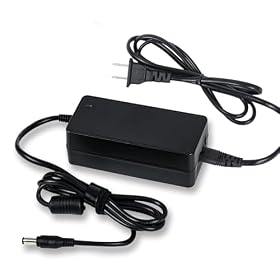
Use a direct wall connection and inspect for loose connections, damaged cables, power strips, overloaded circuits, or an incompatible adapter. The original or explicitly compatible charger should match the station’s voltage, connector, polarity, and power rating.
Replacement may be appropriate when the station still charges slowly after settings, temperature, loads, connections, compatible equipment, and software have been checked. The affected cable, charger, or power station may be the failing part.
Request a topic and help us choose what to build next.
Calculate how long a power station should take to recharge
Choose between a generator and solar for recharging
Requests help us prioritize the next guide. No email required.
One anonymous request per topic.
A portable power station may recharge slowly from a wall outlet because its AC input watt limit is set below the station’s maximum, or because charging is being reduced by temperature, battery protection, or an unsuitable cable or adapter. Check the input setting and charging display first, then inspect the outlet, cable, ventilation, and operating conditions.
What the input watt limit means
The input watt limit is the maximum power the power station will accept from a charging source. It is measured in watts (W). A station connected to a household outlet does not necessarily draw as much power as the outlet can provide; its charger, firmware, or user-selected setting may limit the intake.
For example, if a station can accept 1,000 W but its input limit is set to 300 W, the battery will recharge at roughly the lower rate. A larger AC adapter or a different wall outlet will not bypass a limit built into the power station.
The displayed wattage may also fluctuate. Charging power commonly falls as the battery approaches full, and the station may reduce input to control heat or protect the battery.
Check the input setting first
Look in the power station’s display menu or mobile app for settings such as:
AC input limit
Slow charging or silent charging mode
Custom charging speed
Battery care or longevity mode
Scheduled charging
Maximum state of charge
Some models deliberately reduce charging power in a quiet or battery-protection mode. Increase the AC input limit only if the manufacturer allows it and the outlet, cord, and charging environment are suitable.
If the setting cannot be changed, the station may have a fixed AC charging rate. Compare the observed input wattage with the specification in the manual. Do not assume that a high-capacity battery has a high AC input rating; battery capacity and charging power are separate specifications.
Product prices and availability are accurate as of the date/time indicated and are subject to change. Any price and availability information displayed on Amazon.com at the time of purchase will apply to the purchase of this product.
Inspect the wall outlet and charging cable
A loose connection, damaged cable, power strip, or overloaded circuit can interrupt charging or cause the station to reduce its draw.
Plug the station’s charger directly into a known-good wall outlet.
Temporarily remove extension cords, surge protectors, and power strips.
Confirm that the charging cable and adapter are fully seated.
Look for cuts, crushed sections, bent contacts, discoloration, or unusual heat.
Check whether the charger’s indicator light shows normal operation.
If safe to do so, try another outlet on a different circuit.
Do not use a cable or adapter with a lower rating than the manufacturer specifies. Stop using a charger, plug, or outlet that becomes hot, smells burnt, buzzes, sparks, or shows visible damage. Electrical repairs and circuit diagnosis should be handled by a qualified professional.
Product prices and availability are accurate as of the date/time indicated and are subject to change. Any price and availability information displayed on Amazon.com at the time of purchase will apply to the purchase of this product.
Check temperature and ventilation
Portable power stations may slow or stop charging when they are too hot or too cold. Direct sun, a warm vehicle, a covered charging port, or blocked vents can trigger thermal protection.
Move the unit indoors or into a dry, shaded, well-ventilated area. Keep vents clear and allow the station to return to the temperature range stated in its manual. Do not cool it with ice, water, or a refrigerator, and do not charge a wet or condensation-covered unit.
If charging speed returns to normal after the station cools, the reduced wattage was probably protective behavior rather than a failed charger.
Product prices and availability are accurate as of the date/time indicated and are subject to change. Any price and availability information displayed on Amazon.com at the time of purchase will apply to the purchase of this product.
Disconnect loads while diagnosing the problem
The input number on the display may not equal the net battery gain if the power station is running appliances at the same time. A fridge, heater, inverter, or other load can consume part of the incoming power.
Turn off unnecessary AC and DC outputs, then observe the charging wattage for several minutes. If the input rises when loads are removed, the charger may be operating normally; the station was simply supplying power and charging at the same time.
Some models also reduce charging power when the inverter is active or when the battery is near its upper charge limit. Follow the manufacturer’s instructions for pass-through charging and charging while powering appliances.
Consider battery level and charge protection
Charging is usually fastest at a lower or middle state of charge. Near full, the station may reduce current during the final stage to balance cells and protect the battery. This is normal and can make the estimated remaining time change unexpectedly.
Check whether the station has:
A maximum charge percentage setting
A battery reserve setting
A low-temperature or high-temperature warning
A cell-balancing or maintenance message
A fault code on the display or app
If the input remains low from nearly empty through the middle of the charge cycle, the setting, charger, cable, or station is more likely to be the cause than normal end-of-charge behavior.
Confirm the charger and source match
Use the original AC charging equipment or an explicitly compatible replacement. A third-party adapter may have the wrong voltage, connector, polarity, communication function, or power rating even if it physically fits.
For stations that accept charging through USB-C, a car port, or solar input, the source also matters. A USB-C charger must support the voltage and wattage required by the station. A vehicle outlet may be limited by the vehicle’s fuse or accessory socket. Solar input varies with panel wattage, sunlight, orientation, temperature, and the station’s solar-input limits.
Do not connect charging sources together unless the manufacturer specifically permits that combination. Never substitute a random power adapter to increase charging speed.
Restart the station and check for firmware issues
If the input limit appears incorrect, save any needed settings and perform the manufacturer’s recommended shutdown and restart procedure. Check the display for error codes and install firmware updates only through the manufacturer’s instructions.
A restart may clear a temporary control or communication problem, but it will not increase a fixed hardware input rating. Avoid repeatedly forcing resets while the station is actively charging unless the manual says that procedure is safe.
When the input watt limit is the real limitation
If the station consistently draws the same lower wattage under normal temperature conditions, with no output loads, a suitable cable, and a direct wall connection, that may simply be its maximum AC input rate or the selected limit.
In that case, the practical options are to:
Leave the station charging for longer
Increase the input setting if the model supports it
Use a permitted secondary charging method, such as compatible solar or vehicle charging
Choose a power station with a higher AC input rating for future purchases
When comparing models, check AC input watts and estimated recharge time—not only battery capacity in watt-hours. A larger battery with a low input rating can take longer to recharge than a smaller battery with faster charging.
When to replace a part or the power station
Replace the charging cable or adapter when it is damaged, intermittently connected, overheating, or confirmed incompatible. Use only a replacement specified by the manufacturer.
Contact the manufacturer if the station shows a fault, refuses to charge, repeatedly stops at the same battery percentage, or accepts substantially less power than its documented limit under normal conditions. A replacement unit may be reasonable if the input circuit or internal battery has failed, especially when the station is under warranty. Do not open the enclosure or attempt battery or mains-voltage repairs yourself.
Quick diagnosis checklist
Confirm the AC input limit in the display or app.
Disable slow, silent, scheduled, or battery-care charging modes if appropriate.
Disconnect appliances and turn off unnecessary outputs.
Plug the original charger directly into a known-good wall outlet.
Inspect the cable, adapter, plug, and charging port.
Move the station to a dry, ventilated area at a suitable temperature.
Check the battery percentage and any warning messages.
Restart and update the station according to its manual.
Contact the manufacturer if low input persists with compatible equipment.
FAQ
Why is my portable power station only charging at a fraction of its rated input?
The AC input limit may be set lower than the maximum, or the station may be reducing power because of temperature, battery protection, a nearly full battery, or an active output load. Check the input setting, disconnect appliances, and use the original charger directly from a wall outlet.
Can a different wall outlet make a portable power station charge faster?
Only if the original outlet, power strip, extension cord, or circuit was limiting or interrupting charging. A different outlet cannot bypass a power station’s built-in AC input limit.
Does a bigger battery always charge faster?
No. Battery capacity is measured in watt-hours, while charging speed depends on the input watt rating and charging controls. A larger battery may take longer if its maximum input is relatively low.
Is it normal for charging watts to drop near full?
Yes. Many power stations reduce charging power near full to protect the battery and complete the final charging stage. A low input reading throughout the entire charge cycle is more likely to indicate a setting, source, cable, or equipment issue.