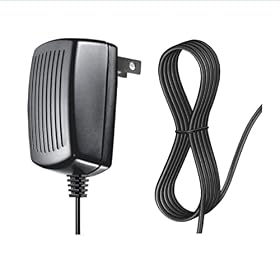
A portable power station may stop powering connected devices while charging because pass-through charging is disabled, the output is overloaded, the input or output cable is faulty, or the unit does not support continuous pass-through operation. Follow these checks before replacing the station.
Station not passing through power while charging
If a portable power station is charging but not powering the connected device, first confirm that AC or DC output is switched on and that the station supports pass-through charging. Then check the output load, cables, charging source, battery limits, and operating mode. Some stations intentionally disable certain outputs while charging or do not provide true UPS-style power.
What pass-through charging means
Pass-through charging allows the station to receive power from a wall outlet, solar panel, or vehicle while simultaneously sending power to a connected device. It is useful for running a refrigerator, CPAP machine, electronics, or other equipment while the battery recharges.
Pass-through is not always the same as an uninterruptible power supply (UPS). A station may power a device while charging but still briefly shut off when utility power fails. If uninterrupted operation matters, check the manufacturer's specifications for UPS or EPS functionality, transfer time, and supported output modes.
Check the output first
Turn on the correct output. Press the AC, DC, or USB output button, depending on the device you are trying to run. Charging the internal battery does not always activate the outputs automatically.
Check the display for an output reading. If the display shows input watts but zero output watts, the output may be disabled or the connected device may not be drawing power.
Try a simple load. Connect a phone charger, small lamp, or other low-wattage device. If a small load works but a refrigerator or tool does not, the problem may be the larger device's startup demand or the station's output limit.
Inspect warning icons and error messages. Overload, over-temperature, low-temperature, short-circuit, and low-battery warnings can disable an output.
Do not repeatedly reset a station that reports a short circuit or internal fault. Disconnect the load and follow the manufacturer's instructions.
Product prices and availability are accurate as of the date/time indicated and are subject to change. Any price and availability information displayed on Amazon.com at the time of purchase will apply to the purchase of this product.
Check the load and startup demand
A portable power station can have enough continuous wattage for a device but still fail when that device starts. Refrigerators, pumps, compressors, power tools, and some medical equipment can briefly draw much more power than their running rating.
Check both:
Continuous output: the wattage the station can provide for an extended period.
Surge or peak output: the short-term wattage available when a motor or compressor starts.
Disconnect other devices and test the problem device by itself. If the station passes power to low-wattage electronics but shuts down when a motor starts, the station may not have enough surge capacity. A larger power station may be necessary; do not rely on a higher-capacity battery alone, because battery capacity in watt-hours does not automatically increase inverter output.
Product prices and availability are accurate as of the date/time indicated and are subject to change. Any price and availability information displayed on Amazon.com at the time of purchase will apply to the purchase of this product.
Inspect the cables and connections
A loose, damaged, or incompatible cable can prevent charging, output, or both.
Reseat the AC charging cable at the wall and station.
Check the output cable at both ends.
Look for bent contacts, heat damage, cracked insulation, or looseness.
If using a car or solar input, verify that the connector and polarity match the station's instructions.
Test a different compatible cable or outlet if available.
Stop using a cable or connector that becomes unusually hot, smells burnt, or shows melted plastic. Use only replacement cables with the connector type, voltage, current rating, and polarity specified for the station.
Confirm the charging source and operating mode
Some stations behave differently depending on the input source. A unit may support pass-through from wall AC but limit or disable it while charging from a vehicle or solar panel. Solar input can also fluctuate with shade, clouds, panel angle, and charge-controller limits.
Check the station's manual or display for settings such as:
If the station has an app, install any manufacturer-provided firmware update only as directed. Do not interrupt a firmware update or disconnect power during the process.
Check whether the battery is full or at a protection limit
A full battery is not normally a reason for a station to stop powering a load, but some models change charging behavior near full capacity. Others use a reserve, charge limit, or battery-protection mode that affects output operation.
Also check the station's temperature. Charging may be restricted when the battery is too hot or too cold, and high internal temperature can cause the inverter to shut down. Move the unit to a dry, ventilated area at the temperature range stated by the manufacturer. Do not cover the cooling vents or operate the station in rain or standing water unless it is specifically rated for those conditions.
Reset the station safely
If the cables, load, and settings appear correct:
Turn off the connected device.
Disconnect all loads from the station.
Disconnect the charging input.
Turn off the station according to the manual.
Wait several minutes, then reconnect the charging source.
Turn on the required output and reconnect one small load.
A reset may clear a temporary overload or protection state. It will not repair a damaged inverter, failed relay, defective battery-management system, or faulty charging circuit.
When the behavior is normal
The station may be working as designed if:
the manual says pass-through is unsupported;
only selected ports work while charging;
the station shuts off AC output in eco mode when the load is very small;
charging from solar or a vehicle limits simultaneous output;
the connected device exceeds the station's continuous or surge rating; or
the unit is using a charging mode that reserves power for battery protection.
A station that supports pass-through is not necessarily suitable as a permanent home backup system. For a refrigerator or other essential load, verify the station's continuous wattage, surge rating, battery runtime, ventilation requirements, and UPS behavior before relying on it during an outage.
When to replace a cable, repair the station, or replace the unit
A compatible replacement cable is reasonable when the original cable is visibly damaged or fails while another correctly rated cable works normally.
Contact the manufacturer or an authorized service provider when the station shows a persistent fault, will not accept charging, smells burnt, becomes unusually hot, makes abnormal sounds, or repeatedly shuts down with a modest load. Do not open the enclosure or attempt battery or inverter repairs unless you are qualified and the manufacturer specifically permits the work.
Replacing the station may be more practical when it has a failed inverter or charging circuit, is outside its service coverage, lacks the pass-through or UPS function you need, or cannot handle the startup demand of the intended appliance. Choose based on output rating and pass-through behavior—not only battery capacity.
FAQ
Why does my power station charge but not power anything?
The output may be switched off, the station may not support pass-through charging, or a protection mode may have disabled the inverter. Check the correct AC, DC, or USB output button, disconnect other loads, and test with a small device.
Can every portable power station charge and run devices at the same time?
No. Pass-through capability varies by model and input source. Some stations support it from wall AC but restrict it during solar or vehicle charging, while others disable selected outputs during charging. Check the manufacturer's specifications.
Why does my refrigerator stop when the power station starts charging?
The refrigerator's compressor may require a high startup surge, or the station may not support that output mode while charging. Compare the refrigerator's running and startup requirements with the station's continuous and peak ratings, then test with other loads disconnected.
Is pass-through charging the same as UPS backup?
No. Pass-through means the station can charge and power a load at the same time. UPS or EPS operation also specifies how the station responds when external power fails, including whether there is a transfer interruption. Check the manufacturer's UPS specifications before using it for sensitive or essential equipment.
Is it safe to leave a portable power station charging while powering a device?
Only if the manufacturer allows simultaneous charging and output for that model and operating mode. Keep the station ventilated, use compatible cables, stay within its power ratings, and follow the manual's temperature and charging instructions.